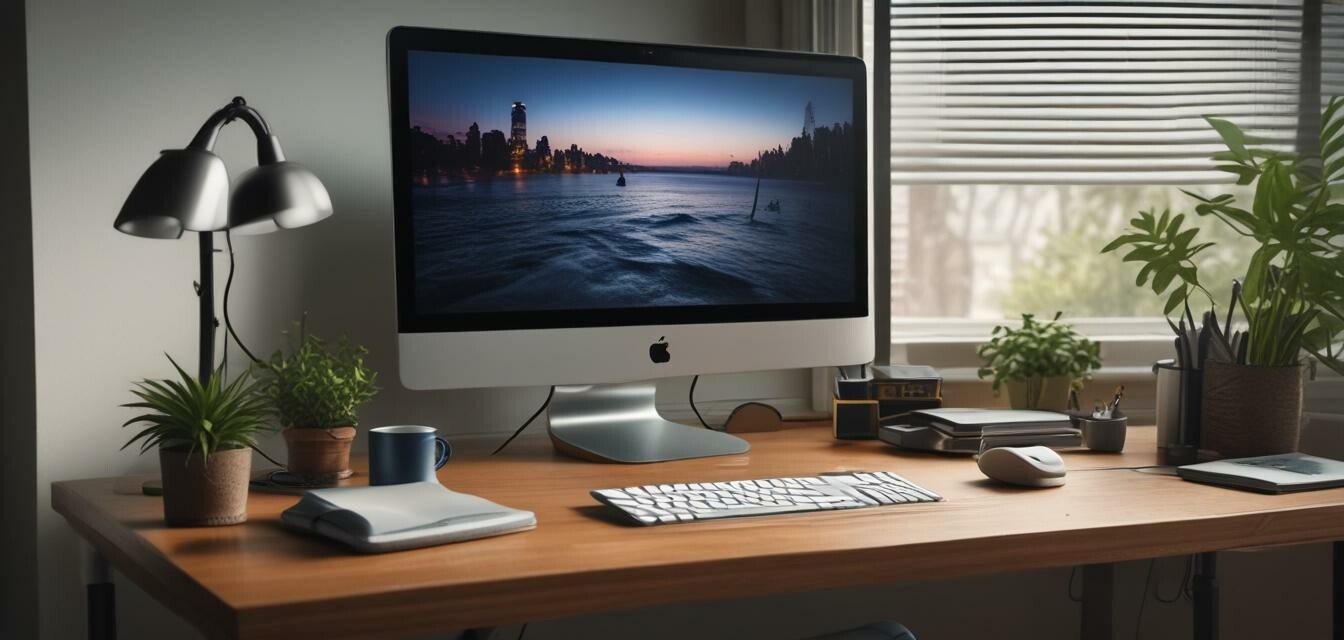
How to Choose the Right Monitor Stand for Your Space
- Consider the height and adjustability features for optimal ergonomics.
- Choose a design that complements your workspace aesthetics.
- Ensure that the monitor stand can support the weight and size of your monitor.
- Look for features like cable management and additional storage space.
- Evaluate the construction material for durability and stability.
In today’s digital world, many professionals spend long hours in front of their monitors. Therefore, the importance of using an ergonomic monitor stand cannot be overstated. An ideal monitor stand not only enhances your workspace's aesthetics but also improves your overall comfort and posture. This article will guide you through essential factors to consider when selecting the right monitor stand for your space.
Why Choose an Ergonomic Monitor Stand?
Using an ergonomic monitor stand can help you avoid discomfort and physical strain associated with poor posture. Here are some benefits of investing in a good monitor stand:
- Promotes healthier sitting posture.
- Reduces neck and back pain.
- Free up desk space, allowing for more organized workspaces.
- Facilitates better airflow for electronics.
Factors to Consider
1. Height Adjustment
Height adjustment is crucial for aligning your eyes with the top of the monitor screen. This ensures that you maintain a neutral neck posture. An adjustable monitor stand allows you to customize the height based on your seating position.
2. Size Compatibility
Ensure that the monitor stand you choose is compatible with the size and weight of your monitor. Here’s a quick table showing compatibility factors:
| Monitor Size | Maximum Weight | Stand Dimensions |
|---|---|---|
| Up to 32 inches | 25 lbs | Compatible with most stands |
| 33 to 49 inches | 33 lbs | Requires a sturdy mount |
3. Stability and Construction Material
Stability is vital to ensure that your monitor doesn’t wobble. Monitor stands made of aluminum and MDF are known for their durability. Look for options that support additional weights without bending or shaking.
4. Cable Management
Good cable management features keep your workspace tidy. Many monitor stands come with built-in cable organizers to keep cords from cluttering your desk.
5. Aesthetic and Design
It’s also essential to choose a monitor stand that fits the overall design of your workspace. There are various designs available, from modern to traditional styles.
Our Top Picks for Monitor Stands
VIVO Premium Aluminum Tall Extended Monitor Arm
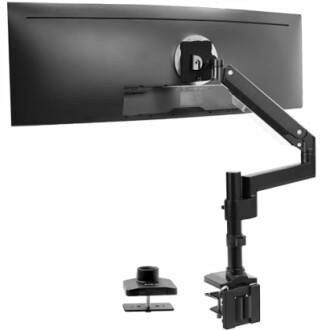 Ideal for Ultrawide Monitors
VIVO Premium Aluminum Tall Extended Monitor Arm
Premium monitor arm mount supporting ultrawide monitors up to 49 inches with pneumatic height adjustments.
Learn MoreDual Monitor Stand for Desk
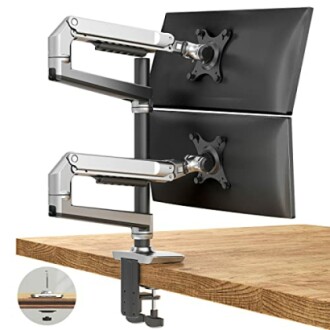 Best for Multi-Monitor Setup
Dual Monitor Stand for Desk
Offers wide range motion for monitors sizes 17 to 40 inches. Perfect for maximizing desk space.
Learn MoreLoukin Dual Monitor Stand Riser
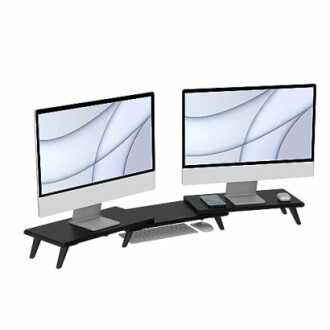 Space-Saving Solution
Loukin Dual Monitor Stand Riser
Large computer stand with adjustable length and angle for a comfortable work setup.
Learn MoreFAQs
1. What is the ideal height for a monitor stand?
The ideal height allows your eyes to be level with the top edge of the monitor screen while seated comfortably in your chair.
2. Can a monitor stand accommodate different monitor sizes?
Yes, many monitor stands are designed to accommodate a range of sizes. Always check the specifications for weight and size limits.
3. How do I assemble a monitor stand?
Most monitor stands come with easy-to-follow assembly instructions. Ensure you have the right tools, and assemble according to the guidelines.
Conclusion
Choosing the right monitor stand is essential for ergonomics, aesthetics, and functionality. Evaluate your requirements, such as height adjustment, monitor size compatibility, stability, and cable management, before making a decision. With options like the VIVO Premium Aluminum Tall Extended Monitor Arm, the Dual Monitor Stand for Desk, and the Loukin Dual Monitor Stand Riser, you have excellent choices to enhance your workspace.
Tips for Beginners
- Start with height adjustment to ensure comfort.
- Test different setups to find the most comfortable configuration for you.
- Consider investing in cable clips or sleeves for better management.