
The Ultimate Guide to Choosing Ergonomic Keyboards
Finding the right ergonomic keyboard can significantly enhance your typing experience and help maintain good posture. In this comprehensive guide, we explore the essential features to consider when selecting an ergonomic keyboard, ensuring that your investment contributes to your comfort and productivity.
Key Takeaways
- Ergonomic keyboards promote better hand and wrist positioning.
- Key features include split designs, wrist support, and adjustable angles.
- Consider connectivity options like wired and wireless choices.
- Look for customizable key functions and backlighting for enhanced usability.
- Choose a keyboard that suits your usage scenario, whether for office work or gaming.
Understanding Ergonomic Keyboards
Ergonomic keyboards are designed to minimize strain on the user's body while typing. They often feature unique designs that facilitate a more natural hand, wrist, and forearm position compared to traditional flat keyboards.
Benefits of Using an Ergonomic Keyboard
- Reduced risk of repetitive strain injuries (RSI).
- Enhanced comfort during long typing sessions.
- Improved typing posture leads to increased productivity.
- Potential relief from wrist pain associated with traditional keyboards.
Key Features to Look For
When choosing the right ergonomic keyboard, keep the following features in mind:
| Feature | Description |
|---|---|
| Split Design | Allows natural hand positioning, reducing wrist strain. |
| Palm Rest | Helps support the wrists, minimizing discomfort. |
| Adjustable Tilt | Allows the user to customize the angle for maximum comfort. |
| Backlit Keys | Useful for working in low-light conditions. |
| Macro Keys | Support programmable functions for efficiency. |
Types of Ergonomic Keyboards
There are various types of ergonomic keyboards available on the market:
- Split Keyboards: Divided into two halves, allowing a more natural hand position. Ideal options include the Perixx Periboard-512 Ergonomic Split Keyboard.
- Natural Shape Keyboards: Curved keys and shapes accommodate the user's natural posture.
- Wrist Support Keyboards: Often include plush wrist rests, ensuring wrist comfort while typing.
- Compact Keyboards: Designed to save desk space while retaining ergonomic benefits.
Top Recommendations
Here are some of the best ergonomic keyboards to consider:
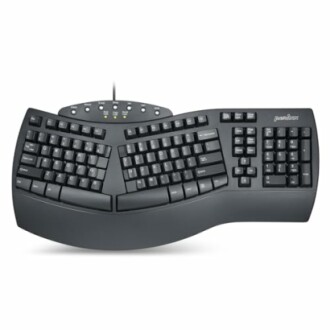 Great ergonomics
Perixx Periboard-512 Ergonomic Split Keyboard
A natural ergonomic design with tactile keystrokes for comfort while typing.
Learn More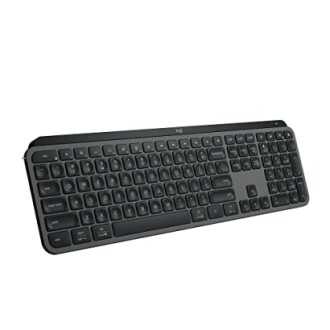 Upgrade your setup
Logitech MX Keys S Wireless Keyboard
A low-profile, quiet typing experience with smart illumination features.
See Product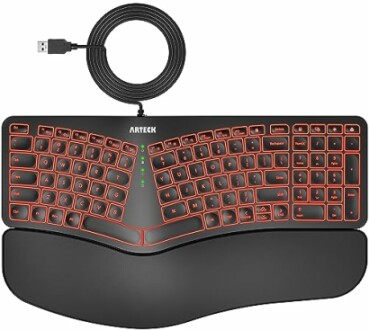 Budget-Friendly Option
Arteck Ergonomic USB Wired Keyboard
Features a cushioned wrist rest and backlighting, ensuring comfort and visibility.
Explore NowAdditional Accessories for Enhanced Comfort
To complement your ergonomic keyboard, consider the following accessories:
- Wrist Rests: Additional support for improved wrist positioning.
- Mouse Pads with Wrist Support: Help maintain alignment while using the mouse. You can check out the Ergonomic Mouse Pad Wrist Support for a great option.
- Standing Desks: Allow you to alternate between sitting and standing, promoting movement throughout the day. Learn more about ergonomic standing desks.
Tips for Getting Used to Your New Ergonomic Keyboard
Beginners Section
- Start with short typing sessions and gradually increase your time.
- Adjust your chair and desk height to maintain good posture.
- Take regular breaks to stretch and loosen up your hands and arms.
- Customize your key mappings for improved efficiency.
Conclusion
Choosing the right ergonomic keyboard is essential for improving your typing comfort and promoting better posture. By considering the features and options discussed in this guide, you can make an informed decision that suits your individual needs and workspace. Remember, investing in your office setup can lead to long-term health benefits and increased productivity. Explore more in our Buying Guides for further insights on ergonomic solutions.